Showing posts with label security. Show all posts

Sunday, June 29, 2014

How to reduce the size of your inbox

Canada's Anti-Spam Legislation is coming into effect July 1, 2014.

That means organizations will have to comply with rules for sending commercial electronic messages (CEM). It doesn't mean spammers will. 

This has been in the news for a while on how it will affect legitimate small businesses.
If you have an existing email list, you will want to read the CASL FAQs

Listen to Steve Dotto's advice on how to get double opt-in from your current email subscribers.


According to one source, there may be a three-year grace period.


Even the smarter than average bear could become confused by the information out there

Although it has good intentions, the introduction of this legislation provides an opportunity for spammers and other morally corrupt individuals to spread uncertainty, to get people to click on links, give away their email addresses or even worse - passwords.

You likely receive newsletters from various organizations and interest groups. You may have noticed messages requesting permission to keep you on their mailing lists. You may also receive vague messages that look like requests for consent but may actually be phishing attempts.

If I am not certain that the consent request is valid and will lead me to a trusted site, I would not respond to a message or follow any links.  I would go directly to the company's web site in my browser to locate the subscribe option and create a new subscription then let the other one expire, valid or not. 

My blonde logic is that if I can't remember subscribing in the first place, why put my computer at risk by following links and unknowingly giving personal information to criminals?  If our past relationship is not well-explained, I will likely delete the message or file it away.


We may attempt to clear the material clutter from our lives but what about all the electronic clutter? 

  • Not sure how to identify legitimate messages?  Take the Spam Quiz
  • Want to know when I post new entries here or on the blog for my novel, The Year of the Rabbit?  Look for the "Follow by Email" box on the right of each blog's web page. Google forces you to sign up with your Gmail address. Kinda dumb and limited...
  • You can do the same for my other blog where the Tabby Cat RulesWordPress isn't picky about what email address you use; you will receive a message to complete the subscription process. 


By providing an email address and clicking the subsequent message links, you will be opting in according to the blog platform's subscription conditions. 

Thanks for dropping by.  I wish you safe computing and a Happy Canada Day!

T

Sunday, March 23, 2014

My memory is fine thank you

Technology is making things easier in some ways and more complex in others.  

Call me grumpy with a twist of humour.  If you use a variety of social networking platforms, you may appreciate my lyrical impression of some, based on the tune from Sesame Street's "One of these things":

Two of these things are not like the others.
Two of these things are not the same.
Two of these social networking platforms make annoying assumptions -
And for that their owners should be ashamed. 


 Put on your grownup glasses and have a look:


Do you know the answers?  Do you know why I find them  annoying?  

No matter what I have selected during previous sessions, some platforms keep making the same assumptions that I want them to remember my password and/or to remain logged in.

Goodreads and Meetup are two of the platforms I find annoying in that they keep forcing this option.  Call me a grumpy IT person but I think it is not good practice to check  default options for end users.  Let the user explicitly make those decisions. 

Don't get me started about the practice used by third party software updates like Adobe Flash Player, Adobe Reader and Google Chrome! Oh... there I went.

It is recommended that you log out from social networking platforms when done else some of them will track your subsequent online activities.  

It comes down to personal responsibility and education if you want to ensure your online security.  

You may choose to download and/or purchase browser add-ons to help guard your privacy.  

Good gravy, Batman!  No wonder they call it the World Wild Web! 

In the 25 years that it has been around, we have seen  startups stall, bubbles burst and creepy criminals take advantage of others online.  


There are still not enough funny cat pictures...

Despite my ripening age, I have a memory like a steel trap and can recall most of my passwords.  I don't want them saved on my computer or entrusted with some third party password remembering app, thank you very much!  I may even resort to good ole pen and paper to write them down and store in a secure location.

Don't let me rant about apps for iPads and other tablets.  If you let the apps remember your login info, you better make sure you have a screen lock passcode in case you misplace the darn thing!  Oh... there I went again.

I also don't trust my browsers to remember web site passwords. No more cookies please.  I'm trying to cut back. 

Besides, most of the platforms have an option to send you a helpful email if you forget your password.  Now... do you remember which email address you signed up with?


If that didn't spook you, here's a picture of a black cat.


Thanks for dropping by.  You are most welcome to explicitly select one or more check boxes below to indicate that you found this blog post funny, interesting or inspiring.  

If you are on "Everything Google", you can submit a comment with your Google + or Blogger account.


That's if you remember how to log in...

T


Tuesday, January 8, 2013

When imaginations run wild


As a creative type, I often let my imagination run away with me while I scribble poetic notes, quickly illustrate an idea - or ponder characters, draft stories and consider alternate endings. 


As an avid reader, I enjoy when a story is so well written that I easily experience the sights, sounds and smells while escaping into a book. As an author, I am touched when others comment with their experiences while reading my work. 

As someone who has lived with PTSD and will occasionally experience resurfacing symptoms, I sometimes let my imagination lead me into "what if" situations.  Sometimes I have to coach myself away from dark thoughts and try to remain in cheery, lighted surroundings.  


My "what if" thinking aids me in reviewing and updating processes in my work and volunteer roles.  It helps me identify risks and opportunities in the everyday.  

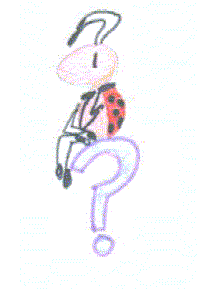
Thinking, thinking Ladybug drawn by Gigi circa 2000

Recently I have questioned the logic of government departments in how they follow processes and make decisions.  I have asked myself and others valid "WTF! if?" questions while dealing with circumstances and possible outcomes related to"he who shall not be named".

It breaks my heart when I hear one of my children cry, asking "Why? Why is this happening?"  It frustrates me that victims have to take extra steps to ensure their safety when solutions seemed so obvious to decision makers at the time.


This is when one chooses to reach into the coping toolbox, accepts the help of others while resisting the tendency to become hyper-vigilant

While seeking solace and support though, one may agree that it is prudent to continue with some "what if?" thoughts while holding onto a trusted hand and keeping a tight rein on that wandering imagination.

T